

Last updated: October 2026 · By Kelly Noble Mirabella, Fractional Social Media Director and Founder of Stellar Media Marketing (Aurora, CO)
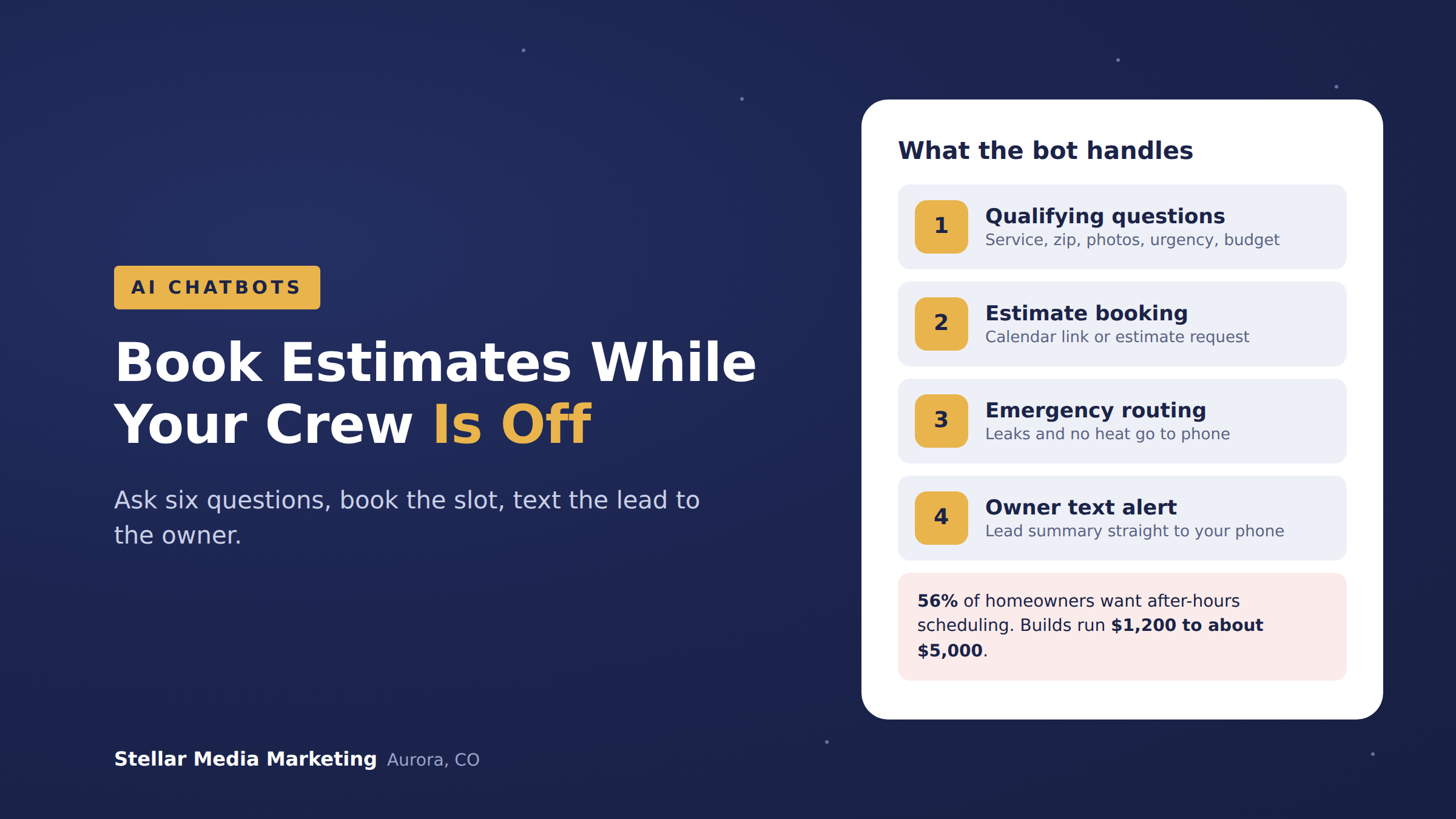
Quick answer: A home service company can use an AI chatbot to answer website and Facebook or Instagram messages at 9 p.m., ask six qualifying questions (service, zip code, photos, urgency, timeline, budget range), book an estimate slot or log a request, text the lead to the owner, and route emergencies to a phone line. Builds run $1,200 to about $5,000.
Here's how I'd set one up for a Denver-metro contractor.
Why do after-hours leads matter so much for home service companies?
After-hours leads matter because homeowners research and reach out when they're home, which is usually after your crews have clocked out. Scorpion's 2026 State of Home Services Marketing Report found 56% of homeowners want 24/7 scheduling or the ability to communicate after hours, and 66% of home service businesses named after-hours customer service as their top operational challenge.
Speed is the other half. In the Harvard Business Review study of online lead response, firms that contacted a lead within an hour were nearly seven times as likely to qualify it as firms that waited even one more hour. The average response time across the companies studied was 42 hours.
And homeowners are open to it. A Housecall Pro survey of 1,040 U.S. homeowners (October 2025) found 53% are comfortable with AI handling initial inquiries, and 80% factor in online booking when choosing a pro.
What should the chatbot ask before booking an estimate?
The chatbot should ask only what your estimator needs to decide whether, when, and who to send. I build most home service bots around these six questions:
- Service needed: buttons, not a blank box. "AC not cooling," "hail inspection," "new pool build."
- Address or zip code: so the bot can politely turn away jobs outside your service area before anyone drives across the metro for nothing.
- Photos: a picture of the water heater label or the damaged shingles saves your estimator a trip or a phone call.
- Urgency: "Is anything leaking, sparking, or without heat right now?" This one triggers emergency routing.
- Timeline: this week, this month, next season.
- Budget range: broad ranges only, and optional. Nobody should be forced to answer it.
How does the chatbot actually book the estimate?
The chatbot books in one of two ways: it drops a calendar link with your real estimate slots, or it submits an estimate request that your office confirms the next morning. Which one depends on how your schedule works.
- Calendar link: best for businesses with standard estimate windows, like a landscaper doing site visits Tuesday and Thursday afternoons.
- Estimate request: best when the owner needs to review photos first, like a custom pool builder or a remodeler deciding whether the job is a fit. The bot promises a callback by a specific time.
- Text to the owner: either way, the lead summary (name, phone, zip, service, urgency, photos) goes straight to the owner's phone by text, plus into the CRM if you have one.
One pool builder I work with had a three-person team missing messages for days. The chatbot we put in answers questions, detects when someone wants a quote, and texts the lead to the owner. They stopped missing messages.
What does a good after-hours conversation look like?
A good after-hours conversation ends with a booked time or a clear next step. Here's a sample flow for a roofing company on a June evening:
- Homeowner (9:14 p.m.): "Hail came through tonight. Can someone look at my roof?"
- Bot: "Sorry about the storm. Is water coming inside the house right now?"
- Homeowner: "No, just worried about the shingles."
- Bot: "Good. What's your zip code?" (Homeowner types 80016.) "Great, that's in our service area."
- Bot: "If it's safe, you can upload a photo from the ground. Please don't climb on the roof."
- Bot: "Here are inspection times this week." (Homeowner picks Thursday at 1 p.m.)
- Bot: "You're booked. I can't quote repair costs, but your inspector will walk you through everything on site."
- Behind the scenes: the owner gets a text with the name, number, zip, photo, and "not urgent, inspection booked."
If step 3 had been "yes, water is coming through the ceiling," the bot would skip the calendar, show your emergency number, and text the on-call tech immediately.
Why does Colorado hail season change how you set up the bot?
Hail season changes the setup because one storm can dump weeks of leads on a roofer or restoration company in a single night. Colorado Public Radio notes that hail season typically starts in May and peaks in June and July. On May 31, 2024, lime-sized hail hit Aurora, Broomfield, and Henderson, and baseball-sized hail hit Commerce City.
The scale is real. According to the National Insurance Crime Bureau, citing the Rocky Mountain Insurance Information Association, the May 8, 2017 Denver-metro hailstorm caused $2.3 billion in insured damage and about 100,600 homeowners claims.
For storm-driven businesses, I'd build in a "storm mode" the owner can switch on: a short greeting that acknowledges the storm, inspection booking only (no repair scheduling), a waitlist when the calendar fills, and a clear note that the company will never pressure anyone on insurance. The same idea works for HVAC in the first cold snap.
"The contractor who answers first usually gets the estimate, and after a Front Range hailstorm, first means tonight, not tomorrow. A chatbot doesn't replace your estimator. It makes sure your estimator wakes up to a calendar instead of a pile of cold leads." Kelly Noble Mirabella, Fractional Social Media Director and Founder, Stellar Media Marketing
What guardrails should a home service chatbot have?
A home service chatbot needs guardrails that keep it from promising anything a human hasn't approved. These are non-negotiable in every build I do:
- No pricing promises. The bot can share published starting prices if you have them, but it never quotes a job. "Your estimator will give you a firm number on site" is the answer.
- No insurance or safety advice. It doesn't tell anyone what their policy covers or whether a gas smell is fine. Gas, sparking, flooding, or no heat in winter goes straight to a phone number.
- No invented availability. Real calendar slots only, or "we'll confirm a time."
- Weekly transcript review. Someone reads the conversations and fixes wrong answers.
What happens after the chatbot captures the lead?
After the chatbot captures the lead, a person has to follow up fast, and the bot can help with that too. A simple sequence: an instant confirmation text, a reminder the day before the estimate, and one next-day follow-up if the homeowner never booked.
The bot can hand you a warm lead at 9 p.m., but it only turns into a job if someone calls when they said they would.
How much does an after-hours booking chatbot cost?
My chatbot builds start at $1,200 for a basic automation chatbot and go up to about $5,000 for larger projects that need API calls and integrations, like connecting to your scheduling software or CRM. A website bot plus Facebook and Instagram DM automation with a calendar link and owner text alerts is a smaller scope. Storm mode and field software integrations push it higher. I break down platform fees in How Much Does an AI Chatbot Cost for a Small Business in 2026?
Ready to stop losing estimates after 5 p.m.?
I co-wrote AI Chatbots for Dummies (Wiley), and I work with home service companies, including a custom pool builder and an outdoor kitchen builder, so I know what homeowners ask before they book. See the AI chat automations section of my services page, then book a discovery call. On a video call, we'll map your questions, emergency routing, and where leads land.
Related reading: AI Chatbot vs. Live Chat vs. Contact Form: Which Gets a Small Business More Leads? and A 12-Month Marketing Plan for Denver Home Service Businesses.
Frequently asked questions
Will homeowners actually talk to a bot?
Many will. Housecall Pro's October 2025 survey found 53% of homeowners are comfortable with AI handling initial inquiries. Be upfront that it's an assistant and always offer a human.
Should the chatbot give price ranges?
Only ranges you've published and approved, and only with a clear note that the real number comes from the estimate. It should never quote a specific job.
What happens with emergencies at 2 a.m.?
The bot asks an urgency question early. If there's a leak, gas smell, sparking, or no heat, it skips booking, shows your emergency line, and alerts your on-call person by text.
Does it work in Facebook and Instagram messages too?
Yes. The same questions and routing can run in your website chat, Facebook Messenger, and Instagram DMs.
How long does it take to set up?
It depends on scope and integrations. Most of the work is writing your questions, service area, emergency rules, and approved answers, then testing them.
Changelog: October 2026, first published.