

Last updated: September 2026 · By Kelly Noble Mirabella, Fractional Social Media Director and Founder of Stellar Media Marketing (Aurora, CO)
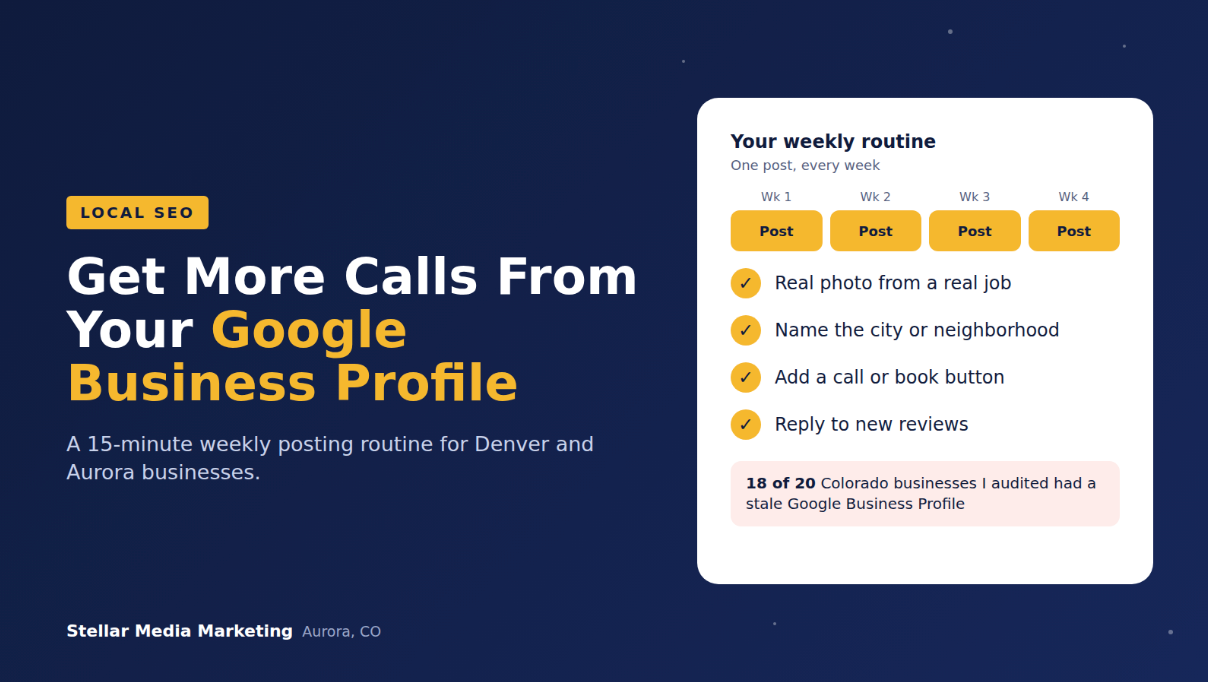
Quick answer: Post to your Google Business Profile once a week with a real photo, a specific local detail, and a clear call button. Google archives posts older than six months unless they have a date range, so a weekly rhythm keeps your profile active. In 18 of the last 20 Colorado audits I ran, the Google Business Profile was stale.
That last number is why this post exists. Most local businesses set up their profile once and never touch it again. Here's how to fix that in about 15 minutes a week.
Why do Google Business Profile posts matter for local businesses?
Google Business Profile posts show searchers that your business is active, current, and relevant to what they're looking for. For a Denver or Aurora business, your profile is often the first thing a customer sees, before your website or social media.
Google's own guidance on improving your local ranking names three factors: relevance (how well your profile matches the search), distance (how close you are), and prominence (how well known you are). Google also says that "businesses with complete and accurate info are more likely to show up in local search results."
You can't move your shop closer to every customer. You can keep your profile relevant and active. Posts are one of the easiest ways to do that.
How often should you post on Google Business Profile?
Post once a week. That's the cadence I recommend to every local business I work with, and it's the one I'd defend in any room.
Here's why weekly works:
- Posts don't last forever. Google's posting help page says "posts older than 6 months are archived unless a date range is set." If you post twice a year, your profile can look empty most of the time.
- Weekly is sustainable. Daily posting burns people out. Monthly is too easy to forget.
- It builds a visible track record. Customers scrolling your profile see a business that shows up.
When we've kept Google Business Profile posting consistent, our interactions and website traffic went up. I don't have clean numbers to share, because Google's reporting makes it hard to connect a single post to a single call. But the direction is clear, and the effort is small.
"Your Google Business Profile is the storefront most customers see first, and most businesses leave the lights off. One post a week is the cheapest local marketing you'll ever do." Kelly Noble Mirabella, Fractional Social Media Director and Founder, Stellar Media Marketing
What types of Google Business Profile posts can you create?
Google offers three post types, and each one has a job:
- Update. What it includes: Description, photo or video, and an action button that links to your site. Best used for: Completed projects, tips, team news, seasonal reminders.
- Offer. What it includes: Title, dates, and an automatic "View offer" button, plus optional coupon code and terms. Best used for: Limited-time discounts, seasonal promotions.
- Event. What it includes: Title, start and end dates and times, plus a description and button. Best used for: Open houses, workshops, home show appearances.
Source: Google Business Profile Help, Create and manage posts.
Pro tip: Offers and events have date ranges, so they don't get archived at the six-month mark while they're running. Use them for anything time-sensitive.
What should you actually post?
Post the same things a customer would ask about before calling you. Specific beats generic every time.
Here are ideas that work well for Denver-area service businesses:
- A recent project, with the neighborhood. "New patio and fire pit in Southlands, finished just in time for fall."
- A seasonal reminder. "Hail season runs through mid-September on the Front Range. Here's what to check on your roof."
- A customer question, answered. "Do I need a permit for a deck in Aurora? Here's what we tell homeowners."
- A before-and-after photo. Real photos from real jobs, not stock images.
- A team spotlight. Put a face to the business.
- An event. Booth at the Colorado Garden & Home Show (February 13 to 21, 2027, at the Colorado Convention Center)? Post it as an event.
- A limited-time offer. Spring booking discount, winter maintenance special, or a referral reward.
Every post should include one clear action: call, book, learn more, or get a quote.
A 15-minute weekly Google Business Profile routine
Here's the routine I recommend. Put it on your calendar at the same time every week.
- Pick one photo from a job or your team this week. (2 minutes)
- Write 2 to 4 sentences that name the service, the neighborhood or city, and one useful detail. (5 minutes)
- Choose the post type and add a button, like "Call now" or "Book." (1 minute)
- Reply to any new reviews. Google notes that replying to reviews "shows that you value their feedback." (5 minutes)
- Check your hours and info for holidays or changes. (2 minutes)
That same routine matters for reviews. BrightLocal's Local Consumer Review Survey 2026 found 74% of consumers look for reviews written in the last three months, and 80% are more likely to use a business that responds to all its reviews.
What mistakes should you avoid?
Avoid these, and you'll already be ahead of most local profiles I audit:
- Posting once and disappearing. This is the stale-profile problem I found in 18 of 20 Colorado audits.
- Using only stock photos. Customers want to see your actual work.
- Leaving out the location. Mentioning Aurora, Centennial, Parker, or the neighborhood helps customers (and Google) connect you to local searches.
- Keyword stuffing. Write for people, not search engines. Also check Google's posts content policy, which has specific rules, like restrictions on phone numbers in posts.
- Forgetting the call to action. Every post needs a next step.
- Ignoring reviews. Posts and review replies work best together.
If your profile has been quiet for a while, that may be one of several signs your marketing isn't working.
Want help keeping your profile active?
Google Business Profile management fits naturally into a larger social media plan, because the same photos and stories can power both. If you're in the Denver metro, local clients get special pricing on content days and packages. Contact me for details, see my services, or book a discovery call.
You might also like How to Run a Social Media Audit for Your Small Business and How Local Content Marketing Turns Neighbors Into Customers.
Frequently asked questions
How often should I post on my Google Business Profile?
Once a week. It's frequent enough to keep your profile active and easy enough to sustain. Google archives posts older than six months unless they have a date range, so long gaps can leave your profile looking empty.
Do Google Business Profile posts help SEO?
Google hasn't said posts are a direct ranking factor. It does say complete, accurate, active profiles are more likely to show up in local results, and posts help keep your profile relevant and useful to customers.
How long do Google Business Profile posts stay up?
According to Google, posts older than six months are archived unless a date range is set. Offers and events with date ranges stay visible while they're active.
What's the best type of Google Business Profile post?
For most service businesses, an update with a real project photo, the location, and a clear call button. Use offers for promotions and events for anything with a date.
Can I post to Google Business Profile from my phone?
Yes. You can manage your profile and create posts from Google Search or Google Maps on your phone while signed in to the account that manages the profile.
Should I post the same content on Google and Facebook?
You can reuse the same photos and ideas, but adjust the wording. Google posts should be short and action-focused, with a clear local detail and a call button.
Changelog: September 2026, first published.